7 web tools to detect useful insights and trends
In order to create a successful SEO campaign, you need to have a good understanding of the way that people search, predict what keywords they will use for a given query and have a good knowledge of themarket and of the industry. Modeling the way that people search can be considered as the holy grail of many SEO and Search Engine experts, because if this was possible, we would be able to predict the user behavior while searching. Even if modeling human behavior is almost impossible, by analyzing the search data we can get useful insights and trends.
In this article we will examine 7 tools that if you use correctly, they can help you find the current trends, understand how people search and use this information to design a successful SEO campaign.
1. Google Analytics
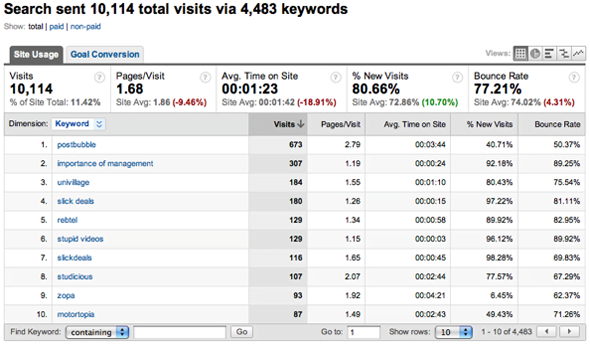
Google Analytics is a great source of information because it allows you to see how users interact with your website, which sources drive the most of your traffic and which keywords are used by users on search engines. A closer look on the Keyword Report can give you an idea of what people look for and howtargeted your SEO strategy is.
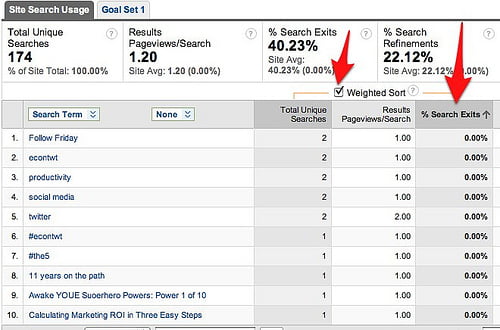
Additionally if you have a website search box on your site, Google Analytics Site Search Report will provide with additional information on what your visitors seek and as a result you might discover new popular search terms
 .
.
2. Google Webmaster Tools
The new features of Google Webmaster Tools console provide lots of really useful info on the search queries that are relevant to your website. In this platform you will be able to see all the keywords for which your website appeared in SERPs, the total impressions, the total clicks, the click through rate, the average position of your website and more. By analyzing all these data you can get a good overview of your current SEO campaign, find out which are the most popular terms and target on them.

3. Google Trends
The Google Trends tool displays the total search volume for a specific term or a comparison for a set of terms globally. The results also contain some news entries that may give a hint for possible spikes. Using this tool can help you spot the trends for specific topics and predict the increase on the demand for specific products or services.

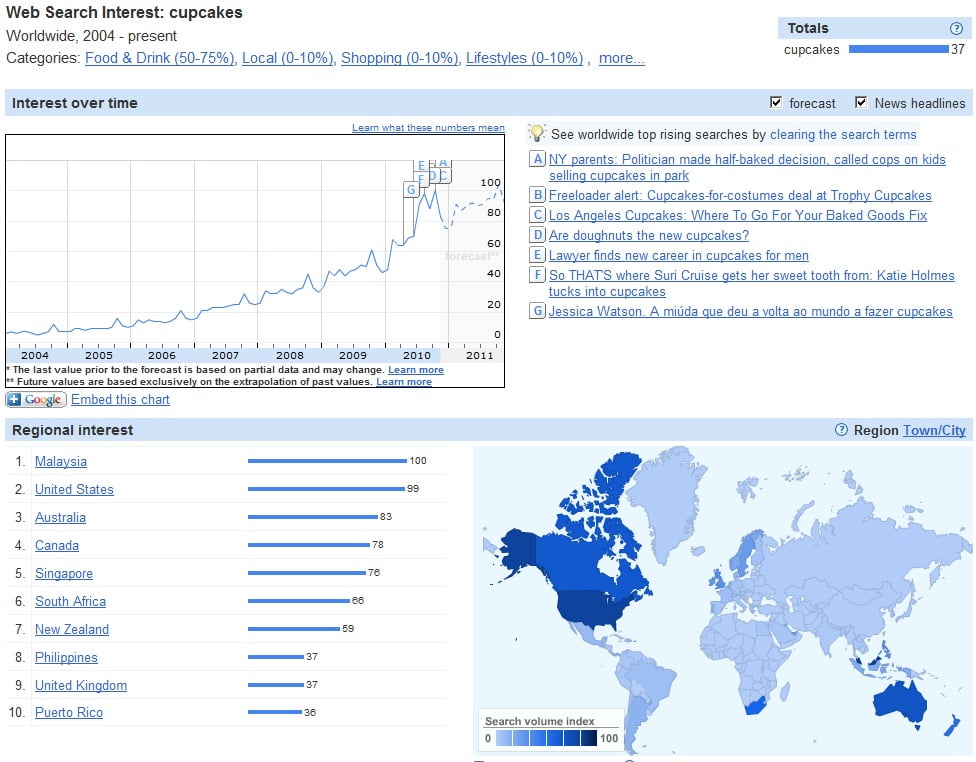
4. Google Insights
The Google Insights is a tool similar to Google Trends, but it gives more weight on the visualization of the interest on specific countries and cities by using a heat map. It also generates a set of top 10 related searches and top 10 rising searches.
5. Google Adwords Keyword Tool & Search Terms Report
There have been some drastic changes on the Google Adwords Keyword tool lately that have been criticized by many Online Marketing Professionals. Nevertheless Google Adwords keyword tool can still be a good source of information that can help you evaluate the popularity of a term, estimate the monthly incoming traffic and get some extra ideas on what people search.

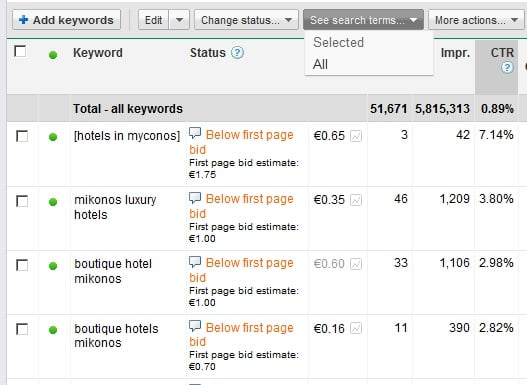
Additionally if you run Adwords Campaigns, you can find lots of useful information on your dashboard. For example the Search Terms Report shows the actual keywords that triggered your ads to appear on Google Search Result Pages. This information combined with all of the above, can help you identify trends and get some insights.
6. Microsoft Audience Intelligence Tool
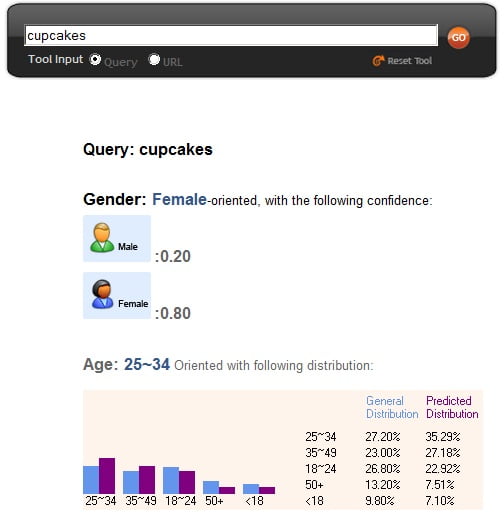
On Microsoft adCenter lab you can find a suite of useful tools. One of them is called Microsoft Audience Intelligence tool and it allows you to insert a query or a website address. The result of the tool contains lots of useful information about the demographic orientation of the term or of the page. Note that these are only estimations and that the results are not 100% accurate.
7. Yahoo! Clues
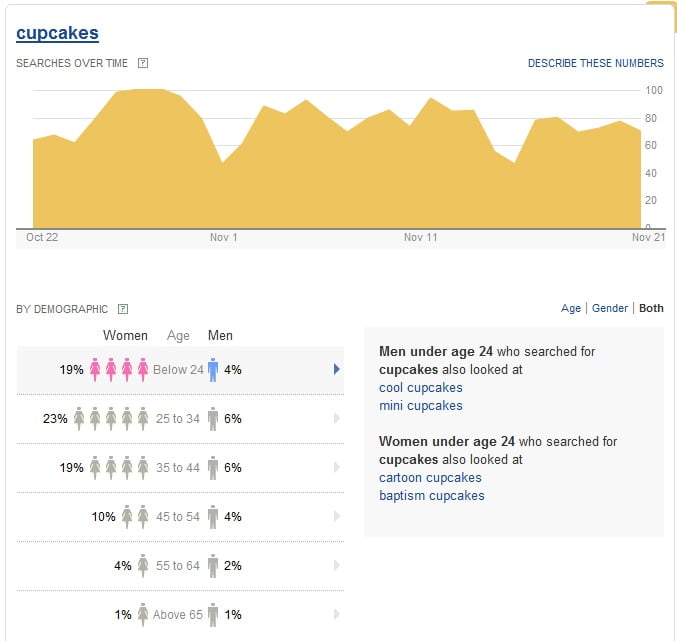
The Yahoo! Clues is a new promising tool that Yahoo recently released and it is still in Beta. It is similar to Google Trends and Microsoft Audience intelligence, but it provides some additional features such as search queries from specific demographic groups.
An important rule that you should have in mind when you use such tools, is to avoid focusing too much on absolute numbers and details. These tools are showing trends and not exact number of data. So the best practice is to get pieces of information and cross check them with offline data and other available marketing information.
Source: http://www.webseoanalytics.com/blog/7-web-tools-to-detect-useful-insights-and-trends/